
Step 1: Open the Transaction
Go to Transactions and select the bank transaction you want to split.
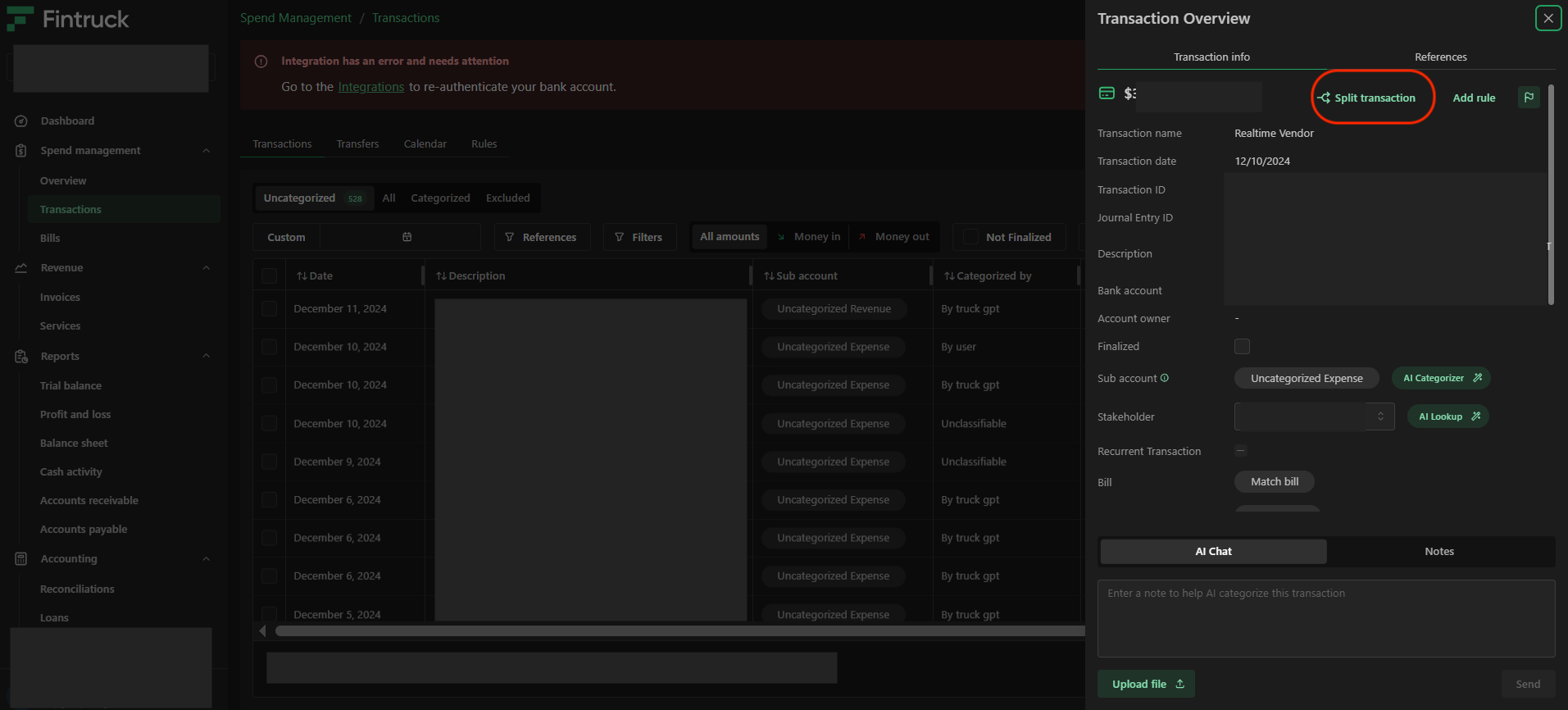
Step 2: Click “Split Transaction”
Click the Split Transaction button located in the top-right corner.
Step 3: Add Split Transactions
Add the necessary split entries by selecting the appropriate accounts and entering the corresponding amounts.
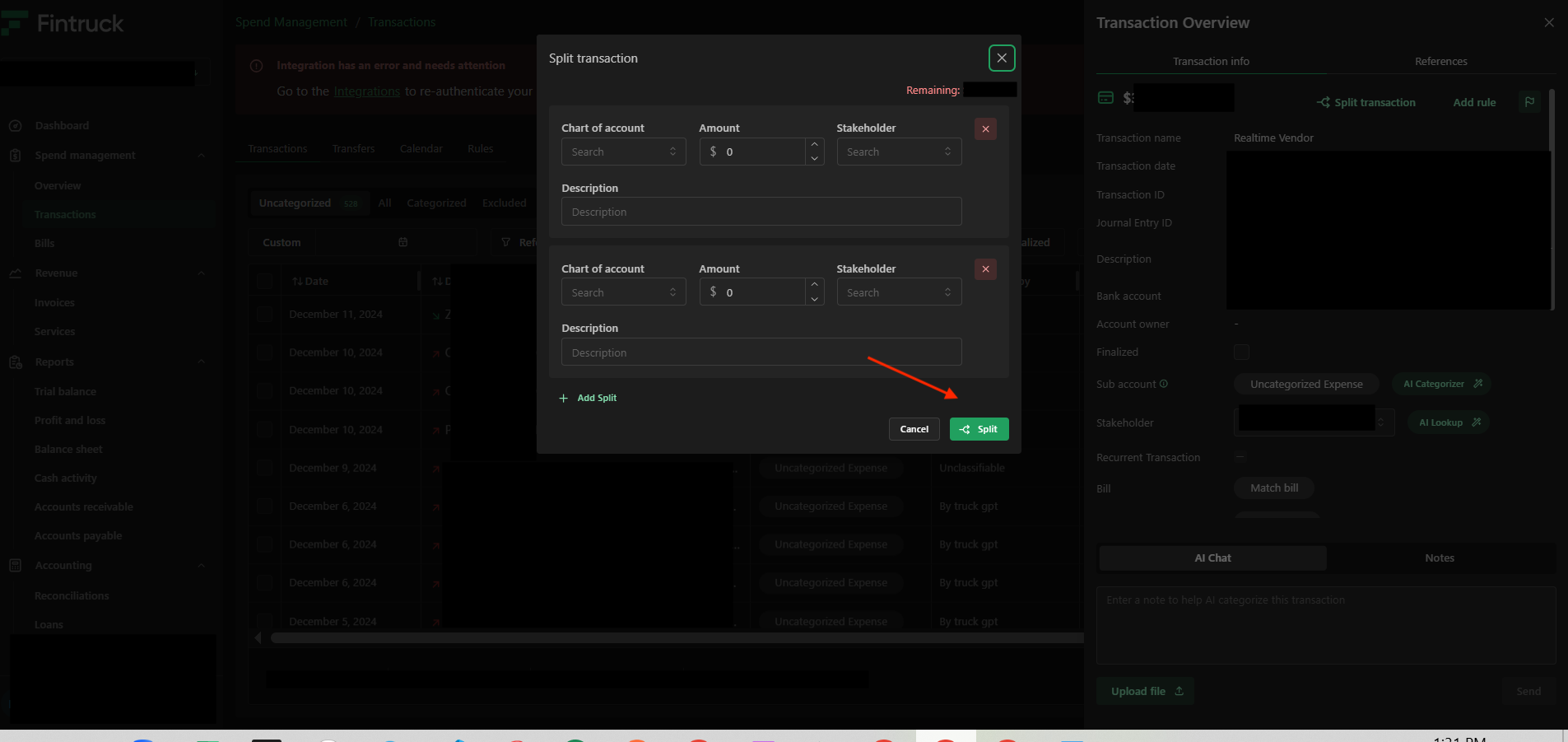
Step 4: Verify the Total
Ensure that the total of all split amounts equals the original transaction amount.
Step 5: Save the Split
Once confirmed, complete the split.
The transaction will now appear as a Split Transaction in the Transactions list.
You will be able to view each individual journal entry inside it.
Comments
0 comments
Please sign in to leave a comment.